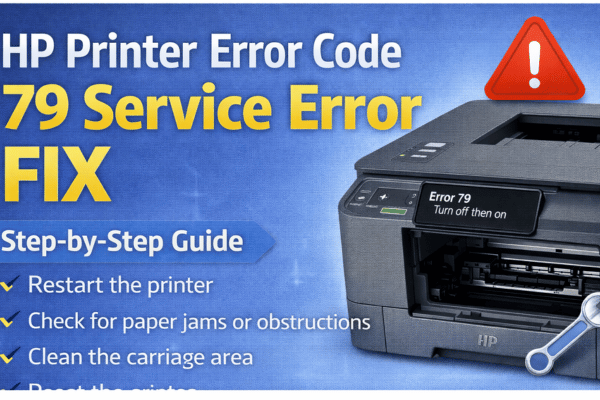
HP Printer Error Code
79 Service Error
Your complete fix guide — from firmware corruption to print job conflicts, solved step by step.
What Is HP Error Code 79 Service Error?
Error 79 is a critical internal error on HP LaserJet printers. It indicates the printer’s firmware has encountered an unrecoverable fault — usually triggered by a corrupt print job, bad firmware, a problematic accessory, or a network command the printer cannot process. The printer freezes and must be manually reset to recover.
Unlike most printer errors, Error 79 is almost always caused by software — a bad print job, corrupt firmware, or a network-level command — rather than a physical hardware problem.
Error 79 appears almost exclusively on HP LaserJet Pro, Enterprise, and MFP series. It is rare on inkjet models. The error causes an immediate halt with no ability to print until resolved.
How Does Error 79 Show Up?
HP Models Most Commonly Affected
Why Does HP Error 79 Happen?
Corrupt or Incompatible Print Job
A print job containing unsupported fonts, malformed PostScript/PDF data, or a file the printer’s interpreter cannot parse causes the firmware to crash. This is the single most common trigger of Error 79.
Outdated or Corrupt Printer Firmware
A failed firmware update, an interrupted installation, or a version with known bugs can leave the printer’s internal software in an unstable state that triggers Error 79 on every boot.
Third-Party or Faulty Accessories
Non-HP memory DIMMs, unofficial formatter boards, incompatible hard disk accessories, or a faulty EIO card inserted into the printer can cause the firmware to fault on detection.
Network Print Protocol Conflict
Certain network commands sent via raw TCP/IP, IPP, or LPD — particularly from misconfigured print servers or outdated drivers — can push malformed data that crashes the printer’s network stack.
Corrupt NVRAM / Internal Storage
The printer’s non-volatile memory stores settings and job history. If this becomes corrupted through a power surge, improper shutdown, or age, the firmware can fail to initialise correctly.
Faulty Formatter Board
In persistent cases that survive all software fixes, the formatter board — the printer’s main logic board — may have a hardware defect. This is the least common cause but requires board replacement to resolve.
How to Fix HP Printer Error Code 79
💡 Start Here First
Always begin by clearing the print queue on every computer connected to this printer before power cycling. If a corrupt job re-sends the moment the printer comes back online, the error will return instantly — every time.
Hard Power Reset
With the printer on, unplug the power cord from the back. Wait a full 60 seconds, then plug back in and power on. This clears volatile memory and often resolves a one-off firmware crash.
Clear the Entire Print Queue
On Windows: open Services → Print Spooler → Stop, delete all files in C:\Windows\System32\spool\PRINTERS, then restart the spooler. Do this on every PC sending to this printer.
Disconnect from Network Temporarily
Unplug the Ethernet cable or disable Wi-Fi on the printer before powering it back on. If it boots cleanly without a network connection, the error is being triggered by a network print job or protocol conflict.
Remove All Accessories & DIMMs
Power off and unplug. Remove all optional accessories — memory DIMMs, EIO cards, hard disk modules, and any third-party add-ons. Power on with only the base configuration to isolate a faulty accessory.
Update Printer Firmware
Visit support.hp.com, search your exact printer model, and download the latest firmware package. Install via USB connection — not over the network — to avoid interruption during flashing.
Restore Factory Defaults (NVRAM Reset)
On the printer panel: Setup → Service → Restore Defaults or Administration → Reset → Restore Factory Settings. This wipes corrupt NVRAM settings that can cause persistent Error 79 loops.
Reinstall Printer Driver on All PCs
Uninstall the HP printer from Devices & Printers on every connected computer. Download the latest full-feature driver from hp.com/support and perform a clean reinstall.
Identify & Remove the Problem Document
If the error only occurs when printing a specific file, the document itself is corrupt. Try printing to PDF first, then printing the PDF — this re-renders the file through a clean interpreter and bypasses font or PostScript errors.
Before You Start — Check These First
When to Contact HP Support
If all eight fixes have been attempted and Error 79 still returns on every boot, the formatter board may have a hardware fault that cannot be resolved through software. Contact HP support in these situations: