HP vs Canon Printer: Which Is Better for Home & Office Use? (2025)
2025 Complete Comparison Guide
HP vs Canon Printer
Which Is Better for Home & Office Use in 2025?
We compare HP and Canon printers head-to-head across print quality, ink cost, speed, scanning, connectivity, and value — so you can finally decide which brand is right for your home or office.
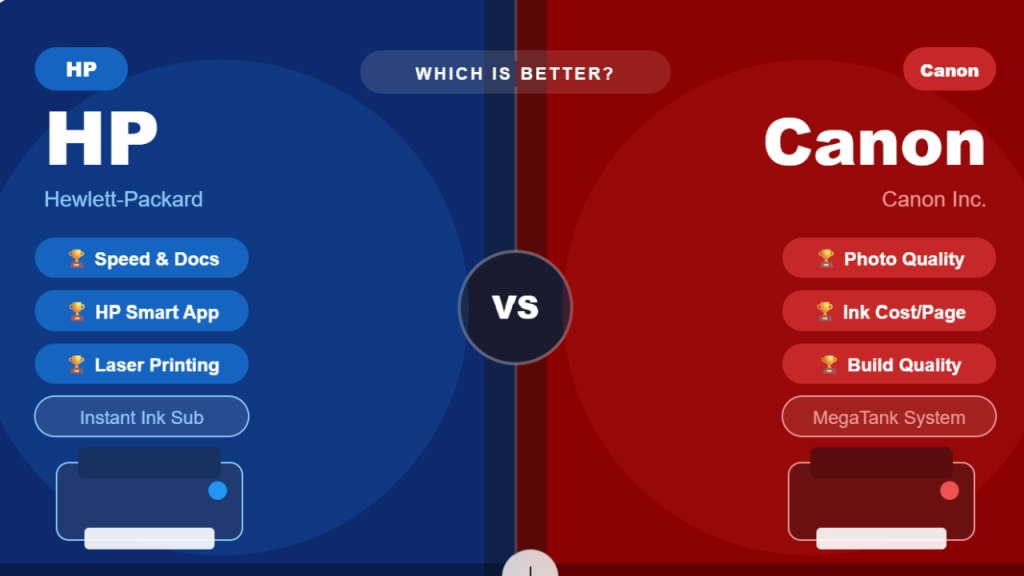
Quick Verdict by Category
Photo Quality
🏆 Canon Wins
Ink Cost/Page
🏆 Canon Wins
Office Documents
🏆 HP Wins
Build Quality
🏆 Canon Wins
Laser / High Volume
🏆 HP Wins
HP and Canon are the two most recognized printer brands in the world, each with decades of engineering excellence and millions of loyal users. HP — founded in 1939 in Silicon Valley — built its reputation on reliable office workhorses and industry-leading laser printing technology. Canon — a Japanese brand born from camera manufacturing — earned its trust through superior image quality, vibrant color reproduction, and durable hardware construction. Both brands offer printers for every budget, from entry-level home inkjets under $100 to professional enterprise machines well over $1,000.
The honest answer to “which is better” depends entirely on what you print. For fast document printing and the best software experience, HP has a clear edge. For photo quality and lower ink cost per page, Canon leads. This guide breaks down every comparison category so you can make the right choice for your specific needs — whether you’re a student, a remote worker, a photographer, or running a small business.
🏢
Section 1
Brand Overview — HP vs Canon at a Glance
🔵 HP (Hewlett-Packard)
- Founded: 1939, Palo Alto, California
- Headquarters: Palo Alto, California, USA
- Key lines: DeskJet, ENVY, OfficeJet, LaserJet, Smart Tank
- Best known for: Office laser printing, HP Instant Ink subscription, HP Smart App
- Printer types: Inkjet, Laser, All-in-One
- Ink subscription: HP Instant Ink (monthly pages model)
- App: HP Smart App — 50M+ downloads, rated 3.9★
🔴 Canon Inc.
- Founded: 1937, Tokyo, Japan
- Headquarters: Tokyo, Japan
- Key lines: PIXMA, MAXIFY, imageCLASS, imagePROGRAF
- Best known for: Photo printing, PIXMA series, MegaTank ink system
- Printer types: Inkjet, Laser, Photo, Large Format
- Ink subscription: Canon PIXMA Print Plan
- App: Canon PRINT Inkjet/SELPHY — feature-rich for photos
Both brands offer printers from under $50 to over $1,500. HP dominates the office laser segment, while Canon leads the photo and creative market. At the entry-level home tier ($50–$150), both brands offer comparable all-in-ones with similar feature sets.
🎨
Section 2
Print Quality Comparison
Print quality is where the two brands diverge the most. The type of content you print most often should heavily influence your decision:
📄 Text Documents & PDFs
🔵 HP — WINNER ✓
HP printers — especially LaserJet models — produce razor-sharp, crisp text that rivals professional printing. Even HP inkjet models (OfficeJet, DeskJet) deliver clean, readable text documents. HP is the default choice for anyone who primarily prints black and white documents, reports, or invoices.
🔴 Canon — Good
Canon PIXMA inkjet printers produce sharp, legible text documents — especially on quality paper. Modern PIXMA models (like the TS6020) produce text that’s comparable to entry-level laser printers. However, Canon’s text output, while excellent, is generally considered slightly behind HP’s best laser printers for pure document clarity.
📸 Photo Printing
🔵 HP — Good
HP produces good-quality photos with well-saturated colors. The HP ENVY and OfficeJet series handle everyday photo printing reliably. However, HP prints tend to have a slightly warmer, yellowed tone compared to real-life colors — noticeable to anyone with a trained eye or comparing to printed photos.
🔴 Canon — WINNER ✓
Canon’s photography roots shine through in every PIXMA printer. Canon produces more natural-looking, true-to-life photos with finer detail, smooth gradients, and a wider color range. The PIXMA PRO-200 is widely considered one of the best home photo printers available. If photos matter, Canon is the clear winner — no contest.
🖼️ Color Graphics & Marketing Materials
🔵 HP — WINNER ✓
For printing colorful PDFs, presentations, and marketing materials, HP Color LaserJet models handle gradients and shadows effectively with impressive color accuracy on plain paper. HP’s graphics output is consistent and professional for business use.
🔴 Canon — Excellent for creative
Canon PIXMA excels at creative graphics, art prints, and high-color documents — especially when using specialty paper. Canon’s color fidelity is outstanding but requires quality paper and settings to maximize results. It may not be as consistent on plain office paper as HP’s laser options.
The HP vs Canon debate often comes down to a fundamental question: are you printing more paper or more pixels? HP has built its entire product ecosystem around fast, efficient document printing — and its HP LaserJet series is arguably the gold standard for office text output, capable of producing tens of thousands of sharp pages with minimal maintenance. Canon, on the other hand, entered the printer market with its camera division’s DNA intact — and the result is a printer line that genuinely understands color. The PIXMA series uses dye-based and pigment-based inks in combination to achieve photo prints that professional photographers describe as “true to life” — a distinction that HP’s inkjet photo output has never quite matched at the same price points.
💰
Section 3
Ink Cost & Running Expenses
The purchase price of a printer is just the beginning. Ink costs often exceed the printer’s upfront price within the first year. Here’s how HP and Canon compare on running costs:
| Print Type |
HP Cost/Page |
Canon Cost/Page |
Winner |
| Black & White (standard cartridge) |
~9.2¢ per page |
~8.3¢ per page |
🔴 Canon |
| Color (standard cartridge) |
~23.3¢ per page |
~21.1¢ per page |
🔴 Canon |
| High-Yield Cartridges |
~7.2¢ per page |
~6.0¢ per page |
🔴 Canon |
| MegaTank / Smart Tank (ink tank) |
~1.0¢ per page |
~0.8–1.0¢ per page |
🤝 Tied |
| Ink Subscription Plan |
HP Instant Ink (from $0.99/mo) |
Canon Print Plan (from $4.99/mo) |
🔵 HP |
🔵 HP Ink System
- Smart chip technology — prevents third-party ink use
- Standard yield: 200–300 pages per cartridge
- High-yield: up to 800 pages per cartridge
- HP Instant Ink: monthly subscription, ink auto-delivered
- HP Smart Tank: refillable, 6,000+ pages per set
- ⚠️ HP Instant Ink ink becomes unusable if you cancel
🔴 Canon Ink System
- Slightly more forgiving of third-party cartridges than HP
- Standard yield: varies by model (200–500 pages)
- High-yield XL cartridges widely available
- Canon MegaTank (G-series): up to 7,000 color pages per set
- Canon PIXMA Print Plan: subscription without forced lock-in
- ✅ Canon’s MegaTank ink costs are among the lowest in the market
💡 Bottom Line on Ink Costs:
Canon is cheaper per page on standard and high-yield cartridges. Both brands are competitive on ink tank models. HP’s Instant Ink subscription offers the best value if you print a predictable volume each month — but read the fine print about ink ownership. Canon’s MegaTank G-series printers offer the lowest long-term cost per page for heavy home users.
⚡
Section 4
Print Speed & Performance
For office users, speed is often non-negotiable. Here’s how both brands compare on real-world print speeds:
📄
B&W Text Speed
HP: 8–35+ ppm (LaserJet up to 35 ppm)
Canon: 8.8–9.8 ppm (inkjet), up to 29 ppm (laser)
🏆 HP LaserJet wins for office speed
🖼️
Color Print Speed
HP: 5–6 ppm (inkjet color)
Canon: 5–6 ppm inkjet, 3.1 ppm (photo mode)
🤝 Comparable for standard color
📸
Photo Print Speed
HP: 2.6 ppm at highest quality
Canon: 3.1 ppm at highest quality
🏆 Canon edges out HP for photos
🏢
High-Volume Office
HP LaserJet Pro MFP: Up to 35 ppm
Canon imageCLASS: Up to 29 ppm
🏆 HP wins for high-volume offices
⚡ Speed Verdict:
For pure document printing speed — especially in office environments — HP’s LaserJet range is unmatched in this price bracket. Canon inkjet speeds are comparable for home use, but Canon’s laser lineup doesn’t quite match HP’s peak speeds in the entry-to-mid office category.
Speed becomes a significant factor in office settings where dozens of pages are printed daily. HP’s LaserJet dominance in the office segment is well-established — models like the HP LaserJet Pro MFP can handle print volumes that would overwhelm any inkjet printer. However, for a typical home office user printing 100–200 pages per month, the speed difference between HP and Canon inkjet all-in-ones is negligible in day-to-day use. Both brands will print your emails, school assignments, and home documents without any frustrating delays. Where HP’s speed advantage becomes apparent is in high-volume environments — printing 500+ pages weekly — where Canon’s inkjet models simply cannot match the throughput of HP’s laser lineup.
📱
Section 5
WiFi, Connectivity & App Experience
Both HP and Canon offer comprehensive wireless connectivity — WiFi, WiFi Direct, AirPrint, Mopria, and mobile apps. But the software experience is where they differ significantly:
🔵 HP Smart App — WINNER
- 50M+ downloads on Google Play — 5× more than Canon
- Rated 3.9★ — widely praised for ease of use
- Guided setup wizard — very beginner friendly
- Cloud printing, remote management
- Built-in templates for cards, labels, schedules
- HP Instant Ink management in-app
- Alexa & Google Assistant voice printing
- Works with Windows, Mac, iOS, Android
🔴 Canon PRINT App
- ~10M downloads on Google Play
- More feature-rich for photo printing specifically
- Higher learning curve than HP Smart App
- Excellent for advanced photo controls
- Canon SELPHY integration for photo prints
- Alexa-compatible on select models
- Works with iOS, Android — good AirPrint
- Better for creative / photo-focused users
| Feature |
HP |
Canon |
| WiFi (2.4GHz) | ✅ | ✅ |
| WiFi Direct | ✅ | ✅ |
| Apple AirPrint | ✅ | ✅ |
| Android / Mopria | ✅ | ✅ |
| Voice Printing (Alexa/Google) | ✅ Most models | ✅ Select models |
| USB Connectivity | ✅ | ✅ |
| Ethernet (wired network) | ✅ Office models | ✅ Some PIXMA models |
| App Rating (Google Play) | 3.9★ (50M+ downloads) | 4.0★ (10M+ downloads) |
🔍
Section 6
Scan, Copy & All-in-One Features
Both HP and Canon offer all-in-one models that print, scan, and copy. Here’s how they compare on the scanning and copying side:
📋
Document Scanning
HP scanners (like ENVY 5540) deliver fast, efficient scanning with seamless software integration and detailed transitions on plain paper — excellent for office document management.
Canon flatbed scanners offer high resolution and accurate color — better for mixed documents with graphics or photos.
📸
Photo Scanning
Canon WINNER — Canon’s high-resolution flatbed scanners (1200 dpi+) excel at scanning photographs with superior color fidelity. The Canon PIXMA G-series and TS-series are the go-to choices for scanning old photos, slides, or artwork.
📠
Copying
HP WINNER — HP produces copies with detailed, seamless color transitions that look better on plain paper. Canon copies can appear slightly rougher on plain paper. HP also has better ADF (Auto Document Feeder) integration at comparable price points.
📑
Auto Document Feeder (ADF)
Both brands include ADF on mid-range and higher models. HP’s OfficeJet Pro and ENVY Inspire include ADF standard. Canon MAXIFY and PIXMA TR series also include ADF — the Canon TR8620 is particularly well-regarded for ADF performance.
📟
Fax Capability
Both HP (OfficeJet Pro) and Canon (PIXMA TR4720, TR8620) offer fax on select models. Fax availability is limited to mid-range and above in both brands — not a differentiator between the two brands at comparable price points.
🖥️
Display Screen
Canon WINNER at mid-range — Canon tends to include touch-screen color displays on more of its mid-range models. HP screens at entry-level are often small or monochrome. The HP ENVY Inspire has a good display, but Canon generally wins on display quality at comparable prices.
🗂️
Section 7
Product Lines & Best Models by Use Case
Both brands have distinct product families aimed at different users. Here’s how the lineups compare by use case:
🏠 Budget Home User (Under $100)
HP DeskJet / ENVY Series
Models like HP DeskJet 4155e (~$89) offer WiFi, scan, copy. Simple setup with HP Smart App. Good for occasional printing. Downside: small cartridges = higher cost per page long-term.
Canon PIXMA TS Series
Models like Canon PIXMA TS3520 (~$79–99) offer WiFi, scan, copy. Better photo quality than HP equivalents. Good for families who print both documents and photos.
🏠💼 Home Office / Frequent Printer ($150–$300)
HP OfficeJet Pro / ENVY Inspire
HP OfficeJet Pro 9015e (~$200–250): fast printing, ADF, auto-duplex, excellent software. Best for home offices needing speed and document management. HP Smart Tank Plus 570 for very low ink costs.
Canon PIXMA TR8620 / MAXIFY Series
Canon PIXMA TR8620a (~$200): print, scan, copy, fax, ADF, Alexa integration, smart ink reorder. Best all-rounder for home offices that also print photos regularly. 5-ink system for superior image quality.
📸 Photo Enthusiast / Creative Professional
HP — Limited options
HP does not have a dominant photo printer line at the consumer level. The HP ENVY Photo 7855 is capable but not in the same league as Canon’s pro photo options.
Canon PIXMA PRO-200 — CLEAR WINNER ✓
Canon PIXMA PRO-200 uses an 8-ink dye system for professional-grade prints up to A3+ size. Widely recommended by photographers and designers as one of the best home photo printers ever made.
🏢 Small Business / High-Volume Office
HP LaserJet Pro — CLEAR WINNER ✓
HP LaserJet Pro MFP 3101fdw: 35 ppm, auto-duplex, ADF, fax, WiFi. Handles teams of 7+ users. HP’s laser lineup is considered the industry standard for reliable, high-speed office printing with unmatched long-term durability.
Canon imageCLASS — Good Alternative
Canon imageCLASS D1100 / MF741CDW offer solid laser printing for offices. Canon’s laser printers are reliable and well-built, but HP’s network security features and management tools give HP an edge in larger business environments.
One area where Canon has a decisive and often underappreciated advantage over HP is build quality and durability. Canon’s mid-range and premium PIXMA printers feature more solid construction — heavier plastic housing, sturdier paper trays, and more durable print mechanisms — compared to HP’s equivalent entry-to-mid models. HP has faced some criticism for its entry-level printers feeling “plasticky” and less durable under heavy use. Canon’s MAXIFY series, designed for home offices, is particularly well-regarded for longevity. On the flip side, HP’s LaserJet models are legendary for their durability in office environments — built to run millions of pages over years with minimal intervention. The durability advantage, therefore, depends on the product tier: Canon wins at mid-range inkjet, HP wins at the office laser level.
🎯
Section 8 — Final Verdict
Who Should Buy HP vs Canon?
There’s no single “better” brand — it comes down to what matters most to you. Use this decision guide:
🔵 Buy HP If You…
✅
Mainly print text documents, emails, reports — not photos
✅
Need fast printing for a busy home office or small business
✅
Want the simplest, most beginner-friendly app setup (HP Smart)
✅
Want an ink subscription service for predictable monthly costs
✅
Print high volumes and need laser reliability
✅
Need network security features for a business environment
Top Pick: HP OfficeJet Pro 9015e
🔴 Buy Canon If You…
✅
Print photos, creative projects, or color graphics regularly
✅
Want the lowest ink cost per page (Canon MegaTank)
✅
Value natural-looking, true-to-life color in photo prints
✅
Want a more solidly built mid-range all-in-one printer
✅
Need high-resolution scanning for photos or artwork
✅
Are a photographer, student, or creative professional
Top Pick: Canon PIXMA TR8620a
📊 HP vs Canon — Full Scorecard
Head-to-head summary across all categories
| Category |
🔵 HP |
🔴 Canon |
Winner |
| Text / Document Quality | ⭐⭐⭐⭐⭐ | ⭐⭐⭐⭐ | 🔵 HP |
| Photo Quality | ⭐⭐⭐ | ⭐⭐⭐⭐⭐ | 🔴 Canon |
| Color Graphics | ⭐⭐⭐⭐ | ⭐⭐⭐⭐ | 🤝 Tied |
| Print Speed | ⭐⭐⭐⭐⭐ | ⭐⭐⭐⭐ | 🔵 HP |
| Ink Cost Per Page | ⭐⭐⭐ | ⭐⭐⭐⭐⭐ | 🔴 Canon |
| App & Software | ⭐⭐⭐⭐⭐ | ⭐⭐⭐⭐ | 🔵 HP |
| Scan Quality | ⭐⭐⭐⭐ | ⭐⭐⭐⭐⭐ | 🔴 Canon |
| Copy Quality | ⭐⭐⭐⭐⭐ | ⭐⭐⭐⭐ | 🔵 HP |
| Build Quality (mid-range) | ⭐⭐⭐ | ⭐⭐⭐⭐⭐ | 🔴 Canon |
| High-Volume Office | ⭐⭐⭐⭐⭐ | ⭐⭐⭐⭐ | 🔵 HP |
| OVERALL SCORE | 5 Wins | 4 Wins | Depends on use |
📌 Final Verdict: Choose HP for document printing, office use, and software simplicity. Choose Canon for photos, lower ink costs, and creative printing. Neither brand is universally “better” — the right choice is the one that matches YOUR printing habits.
At the end of the day, both HP and Canon make excellent printers — and millions of satisfied customers use both brands every day without complaint. The decision between them is about alignment with your specific printing lifestyle, not about one brand being objectively superior. If your household prints school assignments, work documents, and the occasional holiday photo, either brand’s mid-range all-in-one will serve you perfectly well for years. But if you want to optimize — either for the fastest office output, the sharpest photos, or the lowest long-term ink cost — then the comparison above gives you the data to make that choice with confidence. Consider your monthly print volume, what you print most, and your budget for both the printer and ongoing ink before making a final decision.
This comparison is for informational purposes. HP, HP Smart, HP Instant Ink, HP LaserJet, and HP OfficeJet are trademarks of HP Inc. Canon, PIXMA, MAXIFY, and imageCLASS are trademarks of Canon Inc. Prices and specifications are approximate and subject to change. Cost-per-page figures based on Tom’s Guide and published research data.